Поиск
Показаны результаты для тегов 'simpla'.
Найдено 32 результата
-
Скрипт адаптирован под php 8.3 Исправлены некоторые баги и мелкие ошибки. new_simpla-b5-php-8.3-1-admin.zip
-

мультиязычность Мультиязычность Simpla
admin опубликовал тема в Технические вопросы Новая Simpla cms
Мультиязычность в Новой Simpla работает на переключении куки lang. Файлы перевода лежат в таблице s_lang_words, языки хранятся в таблице s_langs В .htaccess добавьте, если там его нет, при необходимости ваш язык, типа RewriteRule ^ru/(.*)$ /$1?lang=ru [L,QSA] RewriteRule ^uk/(.*)$ /$1?lang=uk [L,QSA] RewriteRule ^en/(.*)$ /$1?lang=en [L,QSA] RewriteRule ^pl/(.*)$ /$1?lang=pl [L,QSA] и т.д. Для php код языка записываете $this->translate->code, для смарти {$t->code}, где code - это ваш код для перевода слова или выражения. В смарти есть зарезервированные переменные, поэтому старайтесь не использовать единичные символы для кода, типа lang, а пишите add_lang, main_lang и т.д. Добавить язык вы можете в настройках Языки. Перетаскиванием языка выможете установить первым тот язык, который будет основным и у него не будет в урлах отображаться значение lang. Если активным будет лишь один язык,то панель переключения языка на сайте не будет отображаться. В базовом комплекте пока идет лишь перевод на русский язык. Для перевода используйте в админке Блог и контент -> Переводы Для удобства перевода поставьте на время перевода основным языком тот, который нужно перевести. Затем нажмите Поиск пустых значений. Затем нажмите в списке появившихся переводов на любой Ключ языка, после чего он появится в поисковой строке. Нажмите на поиск и у вас появится возможность записать свой перевод на любом, установленном в настройках вами языке. Первым в области редактирования будет стоять основной язык, поэтому, чтобы не переключать его для перевода, удобней временно учтановить в настройках основным тот язык, который и будете переводить. После записи значения языка нажмите Сохранить. Для создания новой записи нажмите Очистить и добавить. Для удаления записи нажмите Удалить. Удалится запись на том языке, который будет выбран на момент удаления. -
В версию Новая Simpla php-8.1.8-1 добавлена возможность выгрузки собственного xml прайса на основе товаров вашего интернет-магазина. В категории товаров админки вы можете сформировать список выгружаемых товаров на основе выбранных категорий. Для этого вам необходимо создать название выгрузки товаров, поставить галки категориям, товары которых вы хотите поместить в выгрузку, далее выбрать в нижнем меню: "Создать выгрузку товаров" и нажать применить. Ваша выгрзука будет создана в разделе "Выгрузки". Таким образом вы можете создать любое количество выгрузок. В разделе выгрузки вы найдете список ваших выгрузок товаров. Там же вы их можете удалить или перейти к непосредственному просмотру самой выгрузки. При редактировании выгрузки товара вы можете как удалить категорию выгрузки, так и добавить. Если категорий товара много, можно воспользоваться поиском необходимой категории. Чтобы добавить категорию, выберите ее из списка и нажмите "Применить". В списке выгрузок вам необходимо сгенерировать xml файлы выгрузок. Для этого нажмите на "Генерация выгрузки прайса". По ссылке "Файл общей выгрузки" вы можете перейти к списку ваших выгрузок в формате xml. В нем вы можете выбрать ссылку на необходимый файл выгрузки и отдать его клиенту для загрузки вашего прайса. Если у вас не происходит генерация xml прайса, проверьте разрешения на папку unloading/unloads - 777 У многих крупных магазинов, продающих не только свои товары или прайс-агрегаторов, могут быть свои отдельные требования к стандарту выгрузки xml прайса. Поэтому, при необходимости, вы можете обратиться к нам для создания индивидуального стандарта выгрузки вашего прайса под требования вашего клиента.
-
Поскольку сам движок Новой Simpla доведен до современного уровня php и требований со стороны сервера, теперь Вы можете либо самостоятельно, либо с помощью наших услуг сделать для себя очень хороший, удобный, современный интернет-магазин. Если вас интересуют наши платные услуги, пиши нам об этом. В платный вариант входит разработка современного дизайна и необходимые дополнительные модули к нему. Для выбора дизайна вы можете использовать популярную площадку продажи шаблонов: https://themeforest.net/search/shop Или другую подобную этой. Примерная стоимость проекта 100-140$. Срок работ около 7-10 дней. В качестве примера, - базовый шаблон с bootstrap, мультиязычная версия: https://kievukr.pp.ua/ Стоимость этой готовой сборки – 3000 руб. В нее входят в качестве дополнения: - модуль управления слайдером; - модуль избранное; - модуль сравнения товаров; - рейтинг товаров; - подключение google капчи; Еще пример Новой Simpla на bootstrap: http://snkiev.pp.ua/
-
Скрипт интернет-магазина адаптирован под php 8.3 Исправлены некоторые баги и мелкие ошибки. new_simpla-php-8.3-1-admin.zip
-
В новую версию добавлена возможность рассылки SMS. Для добавления рассылки необходимо заполнить соответствующие поля в настройках скрипта. Чтобы рассылка не срабатывала, оставьте поля пустыми. В настойках приведен пример заполнения полей. http://site.com/phpinfo.php - добавлен файл для проверки вашей версии php и всех ее настроек. Вы можете использовать его для определения установки APCu extension, если вы хотите использовать дополнительное кеширование. Откройте для этого файл раскомментируйте строки APCu extension в файле. Исправлены мелкие ошибки, немного улучшен код. new_simpla-b5-php-8.2.8-1-admin.zip
-
1. Исправлена работа filemanager tinymce, который не работал на php 8.2, т.к. обновлялся он последний раз в 2017 году. Переделан под загрузку формата webp Для тех, у кого не работает, скачайте с архива simpla/design/js/tinymce/filemanager и создайте папку files/source с разрешениями 777 2. Добавлена возможность работы с мультиязычной картой сайта. Для этого вам надо добавить папку sitemaps/ с разрешениями 777 Скопировать из архива файл generate_sitemap.php Заменить файлы, взятые из архива: admin/Langs.php, admin/Categories.php, admin/Products.php Поставьте на крон ссылку http://site.com/generate_sitemap.php?gen=key Откройте файл generate_sitemap.php и введите свое значение key И в приведенной ссылке поставьте на кроне это значение вместо key По крону будут генерироваться карты сайта в папке sitemaps/ Используйте в вебмастере cсылку общей карты сайта: http://site.com/sitemaps/sitemap.xml 3. Сделаны некоторые исправления по письмам трудящихся. new_simpla-b5-php-8.2.1-4-admin.zip
-
Новый дизайн. Добавлен фильтр поставщиков. Исправлено создание дубля товара. Другие мелкие исправления. new_simpla-b5-php-8.2.1-3-admin.zip
-
1. Исправлена работа filemanager tinymce, который не работал на php 8.2, т.к. обновлялся он последний раз в 2017 году. Переделан под загрузку формата webp Для тех, у кого не работает, скачайте с архива public_html/simpla/design/js/tinymce/filemanager и создайте папку public_html/files/source с разрешениями 777 2. Сделаны некоторые исправления по письмам трудящихся. new_simpla-php-8.2.1-4-admin.zip
-
Старый дизайн. Добавлен фильтр поставщиков. Исправлено создание дубля товара. Другие мелкие исправления. new_simpla-php-8.2.1-3-admin.zip
-
У кого есть баг с созданием категорий, замените свой файл на этот category.tpl simpla/design/html/ - заменить. category.tpl
-
При установке simpla с нуля, в инсталяторе прописаны необходимые разрешения на паки и файлы. Но если вы переносите свой сайт с другого сервера и заливаете его по FTP, вам необходимо знать, что нужно сделать для его корректной работы. Установить разрешения на папки и файлы: @chmod($current_dir . '/compiled/', 0777); @chmod($current_dir . '/design/', 0777); @chmod($current_dir . "/files/", 0777); @chmod($current_dir . "/files/upload_products/", 0777); @chmod($current_dir . "/files/temp/", 0777); @chmod($current_dir . "/files/uploads/", 0777); @chmod($current_dir . "/files/downloads/", 0777); @chmod($current_dir . "/files/categories/", 0777); @chmod($current_dir . "/files/brands/", 0777); @chmod($current_dir . "/unloading/unloads/", 0777); @chmod($current_dir . "/files/", 0777); @chmod($current_dir . "/files/backup/", 0777); @chmod($current_dir . "/files/export/", 0777); @chmod($current_dir . "/files/export_users/", 0777); @chmod($current_dir . "/files/import/", 0777); @chmod($current_dir . "/files/watermark/", 0777); @chmod($current_dir . "/simpla/design/", 0777); @chmod($current_dir . "/simpla/design/compiled/", 0777); @chmod($current_dir . "/simpla/files/", 0777); @chmod($current_dir . "/simpla/files/backup/", 0777); @chmod($current_dir . "/simpla/files/export/", 0777); @chmod($current_dir . "/simpla/files/export_users/", 0777); @chmod($current_dir . "/simpla/files/import/", 0777); @chmod($current_dir . "/simpla/files/watermark/", 0777); @chmod($current_dir . "/simpla/.htaccess", 0644); @chmod($current_dir . "/simpla/.passwd", 0666); В папке files/ желательно выставить разрешения 777 всем ее родителям !! Очистить обе папки compiled сайта и админки от кешовых файлов !! При необходимости изменить абсолютный путь AuthUserFile к файлу simpla/.htaccess
-
Более новые версии Новая Simpla будут идти с приставкой admin. Это значит, что классы движка на бэке(админка) и на фронте работают независимо друг от друга. Так надо было сделать изначально самой simpla, но они этого не сделали. Это очень удобно, когда вы хотите создать хороший многофункциональный магазин, в котором много по фильтрам запросов к БД, который приходится вешать и на фронт и на бэк одновременно. Кроме этого Вы имеете возможность вести работы по модернизации движка, не затрагивая сразу обе части движка, фронт и бэк. Таким образом вам проще находить ошибки в движке, строить загрузчики для админки, подключать при необходимости разные БД. Все это в итоге будет повышать скорость движка, которая необходима там, где большие БД и много товаров. Исправлено загрузка xml, для загрузки прайсов вам уже нет необходимости устанавливать на сервер консоль ru_RU.UTF-8. Будет работать на стандартной en_US.UTF-8. Кому надо обновить импорт xml, скопируйте отсюда: simpla/ajax/import.php require_once('../../admin/Admin.php'); на require_once('../../api/Simpla.php'); class ImportAjax extends Admin; на class ImportAjax extends Simpla Измените в них: require_once('admin/Admin.php'); на require_once('api/Simpla.php'); class ImportAdmin extends Admin; на class ImportAdmin extends Simpla Обновлены в последней загрузке версии скриптов шаблона фронта default, jquery до последней версии 3.6.3 new_simpla-b5-php-8.2.1-2-admin.zip
-
В PHP 8.2 и более поздних версиях установка значения для необъявленного свойства класса устарела и выдает уведомление об устаревании при первой установке свойства в течение времени жизни выполнения приложения. Поэтому для simpla необходимо прописать для корректной работы изменения во всех классах скрипта и Smarty4. В противном случае вы будеет получать ошибку Deprecated. PHP 8.2 представляет новый атрибут в глобальном пространстве имен с именем #[AllowDynamicProperties]. Классы, объявленные с этим атрибутом, сигнализируют PHP, что при установке динамических свойств для объектов этого класса не следует выдавать никаких уведомлений об устаревании. Таким образо вы можете самостоятельно перейти c php 8.1 на php 8.2, прописав в классах свойство #[AllowDynamicProperties], либо скачать скрипт с обновлениями. Исправлены мелкие ошибки. Новый дизайн new_simpla-b5-php-8.2.1-1.zip
-
Более новые версии Новая Simpla будут идти с приставкой admin. Это значит, что классы движка на бэке(админка) и на фронте работают независимо друг от друга. Так надо было сделать изначально самой simpla, но они этого не сделали. Это очень удобно, когда вы хотите создать хороший многофункциональный магазин, в котором много по фильтрам запросов к БД, который приходится вешать и на фронт и на бэк одновременно. Кроме этого Вы имеете возможность вести работы по модернизации движка, не затрагивая сразу обе части движка, фронт и бэк. Таким образом вам проще находить ошибки в движке, строить загрузчики для админки, подключать при необходимости разные БД. Все это в итоге будет повышать скорость движка, которая необходима там, где большие БД и много товаров. Исправлено загрузка xml, для загрузки прайсов вам уже нет необходимости устанавливать на сервер консоль ru_RU.UTF-8. Будет работать на стандартной en_US.UTF-8. Кому надо обновить импорт xml, скопируйте отсюда: simpla/ajax/import.php require_once('../../admin/Admin.php'); на require_once('../../api/Simpla.php'); class ImportAjax extends Admin; на class ImportAjax extends Simpla Измените в них: require_once('admin/Admin.php'); на require_once('api/Simpla.php'); class ImportAdmin extends Admin; на class ImportAdmin extends Simpla new_simpla-php-8.2.1-2-admin.zip
-
В PHP 8.2 и более поздних версиях установка значения для необъявленного свойства класса устарела и выдает уведомление об устаревании при первой установке свойства в течение времени жизни выполнения приложения. Поэтому для simpla необходимо прописать для корректной работы изменения во всех классах скрипта и Smarty4. В противном случае вы будеет получать ошибку Deprecated. PHP 8.2 представляет новый атрибут в глобальном пространстве имен с именем #[AllowDynamicProperties]. Классы, объявленные с этим атрибутом, сигнализируют PHP, что при установке динамических свойств для объектов этого класса не следует выдавать никаких уведомлений об устаревании. Таким образо вы можете самостоятельно перейти c php 8.1 на php 8.2, прописав в классах свойство #[AllowDynamicProperties], либо скачать скрипт с обновлениями. Исправлены мелкие ошибки. По просьбам народа выкладываем пока и старый дизайн. new_simpla-php-8.2.1-1.zip
-
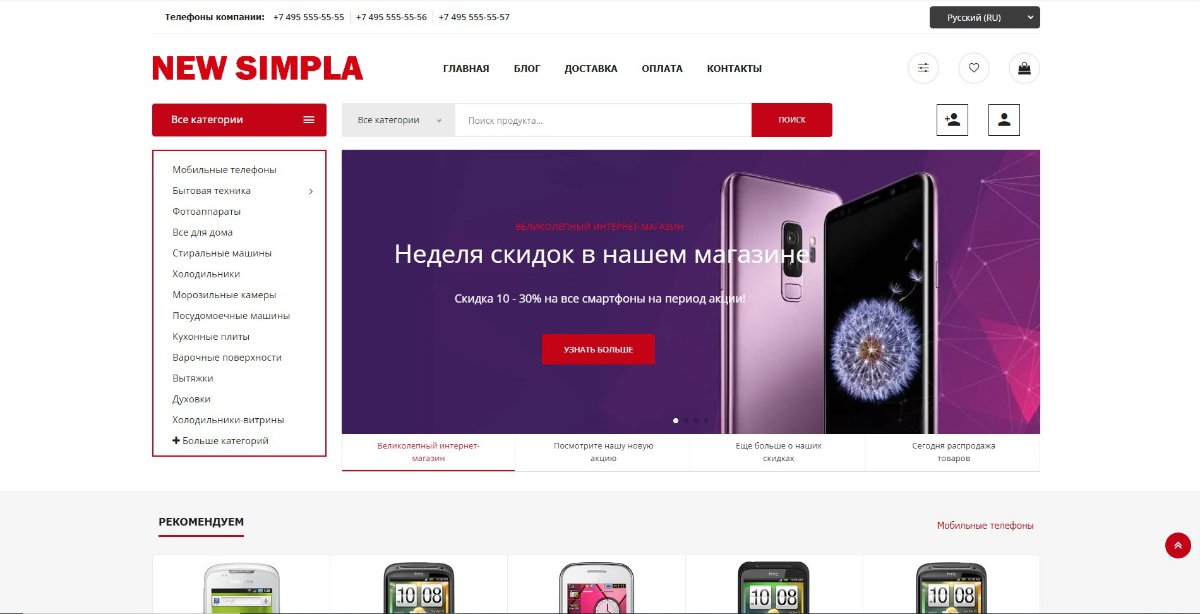
Подарок к Новому году для поклонников Simpla Новая Simpla b5-php8.1.8-1 Основные изменения: 1. Теперь в названии simpla будет и обозначения для дизайна скрипта. b5 в названии скрипта обозначает версию Bootstrap 5, на которой сделан шаблон интернет-магазина. 2. Simpla получила новый дизайн, полностью адаптированный под мобильные устройства 3. Simpla стала мультиязычной с возможность подключать использование автоматического перевода контента с помощью google translate. Вы можете подключать пеервод контента, а можете использовать лишь lang файлы для пеервода скрипта. В скрипте есть только русский язык, перевод делается самостоятельно с помощью инструмента - Переводы. 4. Поиск с использованием категорий товара 5. Добавлен модуль избранные товары 6. Добавлен модуль сравнения товаров 7. Аяксовый фильтр по цене и характеристикам товара 8. Переписан модуль связанные товары, с возможность добавления связанных товаров как на странице товара, так и в корзине товаров. 9. Добавлен функция быстрого просмотра товара. 10. Управление из админки слайдером на главной странице 11. Мультиязычная карта сайта 12. В блоге добавлена возможность размещать аудиозаписи, сделан поиск по записям блога. 13. Через админку можно размещать самому свои контактные данные 14. Есть возможность подключать детектор мобильных устройств simpla-b5-php8.1.8-1.zip

-
В основном исправлены ошибки на основе обращений пользователей. Теперь можно выбрать способо отправки почты, либо используя PHPMailer, либо нет. Это иногда может влиять на то, попадает ваше письмо в СПАМ или нет. Сообщайте в постах об ошибках, это будет повод для исправлений ошибок движка. new_simpla-php-8.1.8-5.zip
-
Изменена загрузка изображений. Теперь вы можете загружать изображения в формате webp. Вы можете устанавливать в настройках размер и качество изображения. Это уменьшает размер файлов изображений, улучшает их качество, дает предпочтение в поиске google. В настройках теперь есть размер загружаемого изображения, качество изображения и уменьшение изображения с потерей качества или без потери качества изображения. Для работы загрузчика на сервере должно быть установлено расширение ImageMagick !! Добавлена возможность размещать в блоге отдельно изображения 2-х размеров, для списка и для статьи. Исправлены мелкие ошибки скрипта. Для обновления используйте файлы: api/Image.php simpla/SettingsAdmin.php simpla/design/html/settings.tpl new_simpla-php-8.1.8-4.zip
-
Переписана функция отправки шаблонов писем, подключен для отправки писем PHPMailer. Исправлены мелкие ошибки. Для обновления отправки шаблонов используйте новый файл api/Notify.php Добавьте: includes/PHPMailer Для отправки письма используйте форму: $email = new stdClass; $email->to_mail = // кому письмо email $email->to_name = // имя кому письмо $email->from_mail = // от кого письмо email $email->from_name = //имя от кого письмо $email->title = //Заголовок письма $email->body = // тело письма $this->notify->email($email); // Вызов функции new_simpla-php-8.1.8-3.zip
-
В этой версии новые модули импорта и экспорта товаров xml. Теперь вы можете в модуле импорта сами настроивать названия колонок входа для вашего прайса. Это влияет на то, будет скрипт находить названия колонок в прайсе при импорте товаров или нет. Раньше в Simpla стояли лишь дефолтные варианты названия колонок прайса, которые могли и не подходить под колонки загружаемого прайса, и в итоге они и давали ошибку при загрузке. Без создания своего набора колонок, будут работать дефолтные настройки, как и раньше !! При экспорте вы теперь тоже можете сами создавать необходимые названия для колонок вашего прайса, привязывая их к ключам товара в базе данных. Вы также можете сортировать их в необходимом порядке после добавления. Без создания колонок экспорта, Вы не сможете создать экспорт товара !! Восстановлена работа модуля бекап, обновлена библиотека архивации файла. В коплекте скрипта теперь идет бекап сайта, с помощью которого вы сможете восстановить скрипт в исходном состоянии после его установки. Устранены мелкие ошибки скрипта. new_simpla-php-8.1.8-2.zip
-
Скрипт адаптирован под php 8.1.8 Добавлен модуль выгрузки товаров в формате xml для Яндекс магазина, прайс агрегаторов. В поставщике добавлена возможность подключения своего модуля загрузки. Исправлены ошибки. new_simpla-php-8.1.8-1.zip
-
Доработан модуль загрузки xml для Яндекса Добавлена возможность делать наценку на загружаемые товары. Исправлено восстановление пароля. Сделаны исправления ошибок в файлах. new_simpla-php-8.0.15-4.zip
-
Новая Simpla php-8.0.15-3 Сделан ряд исправлений ошибок в скрипте по сравнению с Новая Simpla php-8.0.15-2. new_simpla-php-8.0.15-3.zip
-
Добрый день! Хорошо, что комьюнити расширяется, движок интересный и довольно быстрый, чем и цепляет. Вообще планов много, много пожеланий. Тоже сижу, ковыряюсь, ссылку оставлю в профиле, что получилось на данный момент)